深色模式
taichu CLI

紫东太初云平台官方命令行工具。在终端或 AI Agent 运行时中,发现模型、查看用量、创建api-key与诊断本地环境。



中文 · English
功能特性
- 交互模式与一次性命令:不带参数运行
taichu进入 REPL,传递命令则适用于脚本、CI 和 Agent 工具。 - Agent 友好协议:命令支持
--format json、标准化退出码、可解析的 JSON 错误信息,以及--quiet仅返回退出码。 - 模型与用量工作流:浏览模型、查看模型详情、按关键词搜索,以及查看免费额度、Token Plan 和按量计费用量。
- 原生凭证存储:凭证存储在操作系统钥匙串中(可用时),并支持加密文件回退。无需
keytar或原生 Node 绑定。 - 自文档化命令树:每个命令均支持
--help,生成的帮助信息即为权威语法参考。
安装
npm
bash
npm install -g @taichuai/taichu-cli验证安装:
bash
taichu version若出现 command not found: taichu,说明 npm 全局 bin 目录未加入 PATH。执行对应 shell 的命令即可:
| Shell | 命令 |
|---|---|
| bash | echo 'export PATH="$(npm config get prefix)/bin:$PATH"' >> ~/.bashrc && source ~/.bashrc |
| zsh | echo 'export PATH="$(npm config get prefix)/bin:$PATH"' >> ~/.zshrc && source ~/.zshrc |
快速开始
开发者
bash
# 1. OAuth Device Flow 登录
taichu auth login

# 2. 列出可用模型
taichu models list

# 3. 查看模型详情
taichu models info taichu_o1

# 4. 模型体验
文本生成:taichu models invoke --request '{"messages":[{"content":"你好","role":"user"}]}'
图文问答:taichu models invoke --request '{"messages":[{"content":[{"type":"text","text":"这是什么品种的猫"},{"type":"image_url","image_url":{"url":"https://s3.wair.ac.cn/alluxio/publish-data/system-config/question_answer_2.png"}}],"role":"user"}]}'
文生图:taichu models invoke --request '{"input_text":"生成一张卡通女孩头像"}'

# 5. 查看调用统计
taichu models usage

# 6. 诊断认证、网络、配置和本地环境
taichu doctor
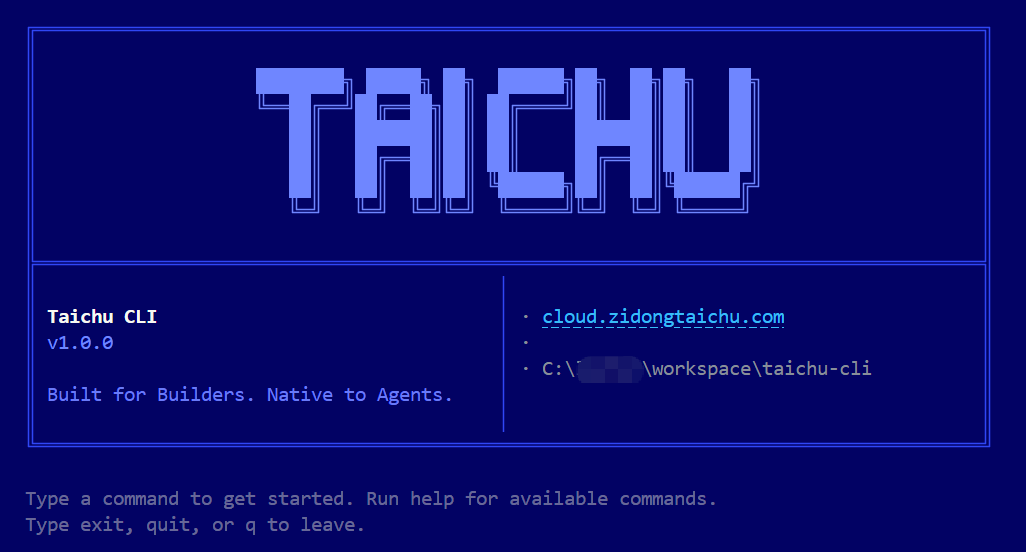
不带参数运行 taichu 将进入 REPL。REPL 使用与一次性模式相同的命令树,并支持 readline 历史、Tab 补全和丰富的终端表格。
AI Agent
使用一次性命令并显式请求 JSON 输出:
bash
taichu auth status --format json
taichu models list --format json
taichu keys list --format json
taichu doctor --format json
示例
浏览可用模型,查看模态信息、免费额度和定价:

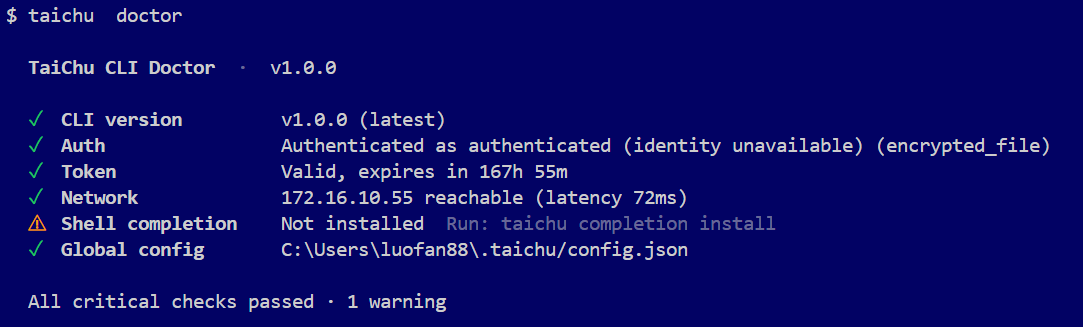
运行诊断,验证认证、网络访问、配置和 Shell 补全:
命令
| 领域 | 命令 | 常用标志 |
|---|---|---|
| 认证 | auth login, auth logout, auth status | --init-only, --complete, --timeout, --format |
| 模型 | models list, models info | --query, --type, --page, --per-page, --format |
| 用量 | models usage | --user, --model, --api-key, --from, --to, --page, --per-page, --format |
| 调用 | models invoke | --request, --file, --output, --model, --stream, --enable-thinking, --hide-reasoning, --format |
| keys | keys list, keys create, keys disable, keys delete | --page, --per-page, --desc, --yes, --format |
| 配置 | config list, config get, config set, config unset | --format |
| 诊断 | doctor | --format |
| Shell | completion install, completion generate | --shell |
| 版本 | version |
使用帮助查看完整语法:
bash
taichu --help
taichu models --help
taichu models list --help
输出与退出码
输出格式解析优先级:
--format标志- 配置中的
output.format - TTY 检测:交互终端使用表格,管道或重定向使用 JSON
bash
taichu models list
taichu models list --format json
taichu models list --format text
taichu --quiet doctor
退出码:
| 代码 | 含义 |
|---|---|
0 | 成功 |
1 | 通用错误或用法错误 |
2 | 认证错误 |
3 | 网络错误 |
4 | 配置或参数错误 |
5 | 限流 |
6 | 服务端错误 |
7 | 资源未找到 |
8 | 操作未完成的保留码 |
130 | 用户中断 |
JSON 错误遵循稳定格式:
json
{
  "error": {
    "code": "AUTH_REQUIRED",
    "message": "Not authenticated. Run: taichu login",
    "exit_code": 2
  }
}
自动化场景建议使用 --format json,表格输出仅供人工阅读。
JSON 输出示例:
json
{
  "models": [
    {
      "model_id": 133,
      "model_code": "taichu_llm"
    }
  ],
  "total": 1,
  "page": 1,
  "per_page": 20,
  "total_pages": 1
}
认证
taichu auth login 使用 OAuth 2.0 Device Authorization Grant with PKCE。
交互式登录:
bash
taichu auth login凭证存储在操作系统钥匙串中(可用时)。如果钥匙串不可用,CLI 会回退到加密的本地凭证文件。设置 TAICHU_KEYRING=plaintext 强制使用明文文件存储(调试用);no、0、false 和 off 也会跳过钥匙串。
配置
taichu CLI 使用一个全局配置文件:
text
~/.taichu/config.json公开配置项:
| 键 | 值 | 默认 |
|---|---|---|
output.format | auto, table, json, text | auto |
bash
taichu config set output.format json
taichu config get output.format
taichu config list
taichu config unset output.format